
Whispy AI: Create Your Story
NEXBASE TECH PTE. LTD. · Entertainment · $3M/mo · 312.8K downloads · ★ 4.3
Screens9
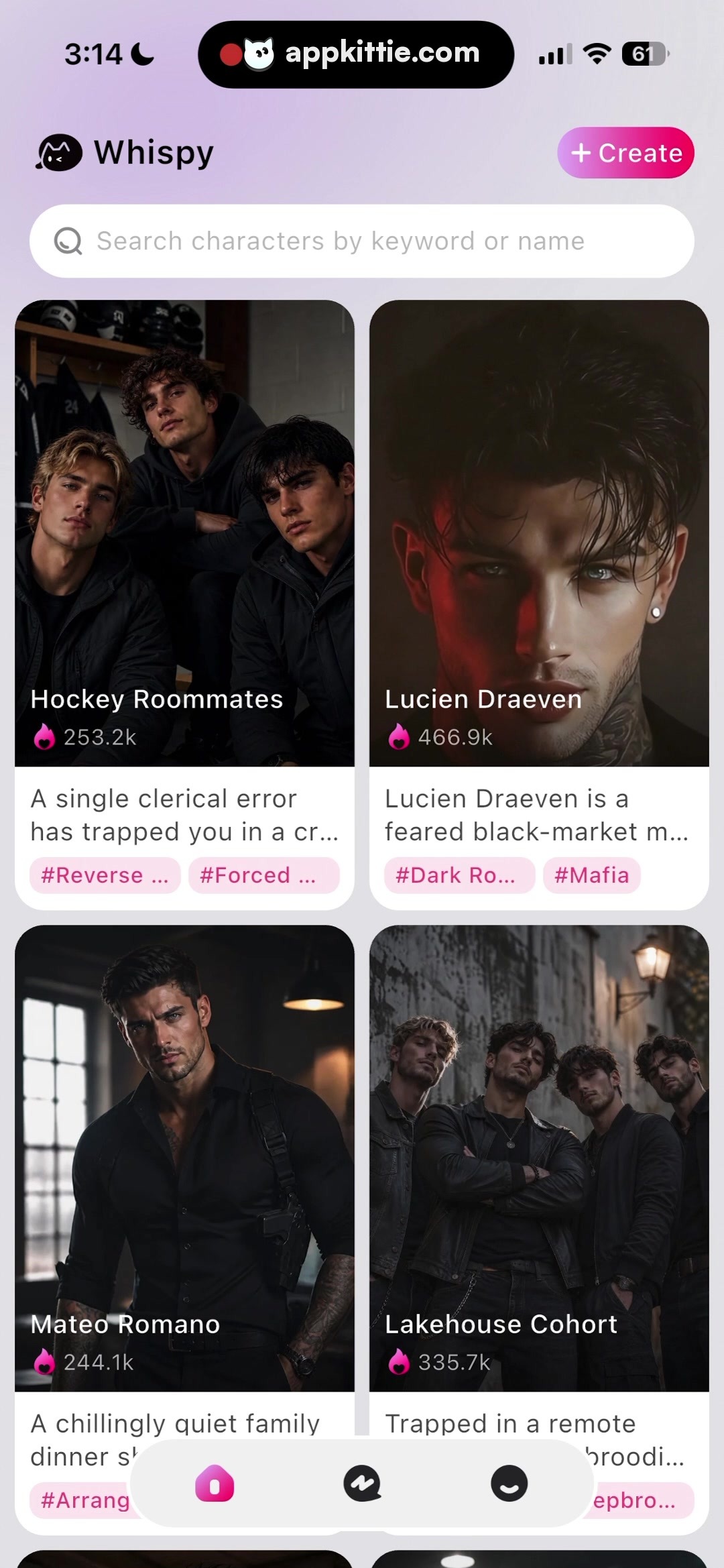
7Home
Colors
- #FFFFFFSurface White · Search input fill · Character card content backgrounds · Bottom floating nav bar background
- #F8F5FBPage Tint · Overall screen background wash
- #E0338APrimary Accent Pink · Create button gradient · Stats flame icon · Active tab indicator
- #FCEAF2Tag Background · Character chip tag background
- #C42978Tag Text · Character chip tag labels
- #9CA3AFSearch Icon & Placeholder · Search bar glyph and prompt text
- #111827Primary Dark Text · Card headline titles
- #4B5563Secondary Body Grey · Card descriptive blurbs
Type
- Brand HeaderSF Pro Display · 52px · 700 · #111827
- Create Button TextSF Pro Text · 38px · 600 · #FFFFFF
- Search PlaceholderSF Pro Text · 42px · 400 · #9CA3AF
- Card Title (on image)SF Pro Text · 42px · 600 · #FFFFFF
- Card DescriptionSF Pro Text · 36px · 400 · #374151
- Tag Pill TextSF Pro Text · 32px · 500 · #C42978
Elements
Header Navigation · app_bar
Top row with Whispy cat logo and text on left, '+ Create' button on right · Transparent background with compact pill-shaped gradient create CTA
Search Bar · search_field
Full width below header, height 120px · Pure white background pill, soft subtle shadow, magnifying glass icon on the left
Character Grid Item · card
2-column grid layout, width ~500px each, vertical card format · Rounded rectangle image card top section with bottom white container housing excerpt text and pastel tag chips
Floating Bottom Navigation Bar · tab_bar
Centered floating pill at bottom of the screen, width approx 680px, height 140px · Frosted white translucent background with dark grey icons and active pink indicator tab
Layout
Main character discovery screen featuring top bar, search bar, a 2-column scrollable grid of character cards, and a floating pill navigation bar at the bottom center.
Notes
Cards display character image with overlay name and fire count, followed by a short teaser blurb and horizontal tags.
Store


