
Learna: Speak & Learn English
DEEP FLOW SOFTWARE SERVICES · Education · $6.3M/mo · 2.1M downloads · ★ 4.6
Screens5
4Feature intro
Colors
- #D8ECFDSky Gradient Base · screen background fill
- #FFFFFFCard White · graph card surface · bottom sheet surface
- #1C80EDMetric Accent Blue · stat emphasis · timeline line color · cta button fill
- #133D6BDark Indigo Header · tab header fill · sheet headline text
- #22C55ESuccess Bright Green · completed skill node outline and checkmark
- #EF4444Category Coral Red · hobby skill node background
- #94A3B8Locked Node Gray · inactive milestone node fill
Type
- Sheet HeadlineSF Pro Rounded · 68px · 800 · #133D6B
- Sheet SubtitleSF Pro Text · 36px · 400 · #133D6B
- Metric CalloutSF Pro Rounded · 54px · 800 · #1C80ED
- Tab TitleSF Pro Text · 32px · 700 · #FFFFFF
- Node LabelSF Pro Text · 30px · 700 · #133D6B
Elements
Personalized Plan Card · card
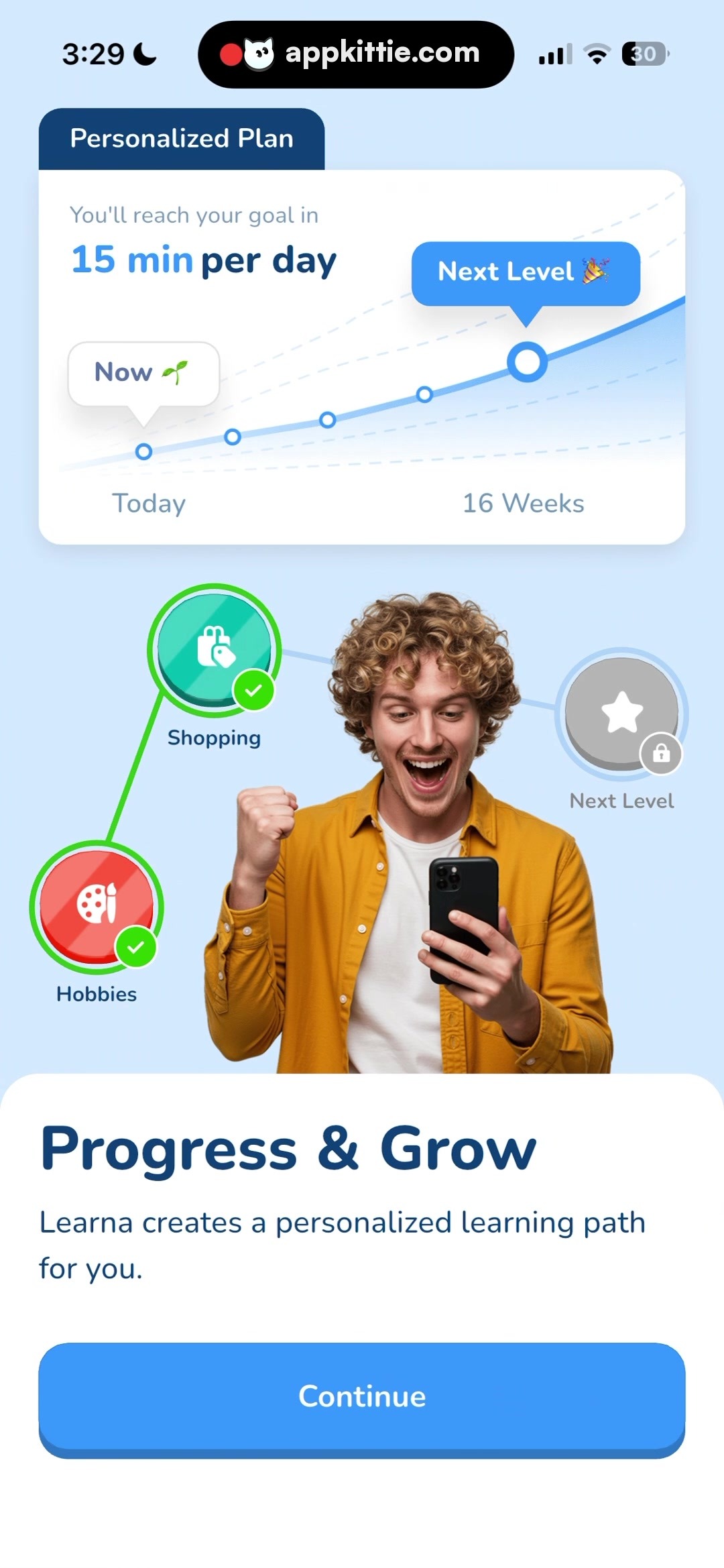
Upper section of screen, floating white card with projecting top-left dark tab · White rounded surface with upward trend line chart, milestone circular dots, and goal stats
Goal Milestone Tooltip · tooltip
Positioned over the peak of the trajectory graph on right side · Vibrant blue pill bubble with party popper emoji reading 'Next Level'
Skill Progression Path Nodes · stepper
Circular circular badges arranged across middle viewport flanking hero human photo · Circular icons connected by green path lines: green 'Shopping' node with check badge, red 'Hobbies' node with check badge, and gray locked 'Next Level' node with lock icon
Bottom Information Sheet · sheet
Bottom full-width container pinned to bottom screen edge · White solid background with rounded top corners, holding text block and full-width CTA
Continue CTA Button · button
Centered horizontally inside bottom sheet, ~110px height · Solid bright blue fill with centered white text and soft elevation shadow
Layout
Progress overview screen combining data visualization with gamification elements. Top displays learning curve forecast in a styled card. Middle shows a learning path diagram with completed and locked skill nodes framing an ecstatic user image. Bottom finishes with consistent onboarding action sheet.
Notes
Curved progress line connects milestones from 'Today' to '16 Weeks'. Skill nodes represent modular learning path completion.
Store


