
Learna: Speak & Learn English
DEEP FLOW SOFTWARE SERVICES · Education · $6.3M/mo · 2.1M downloads · ★ 4.6
Screens5
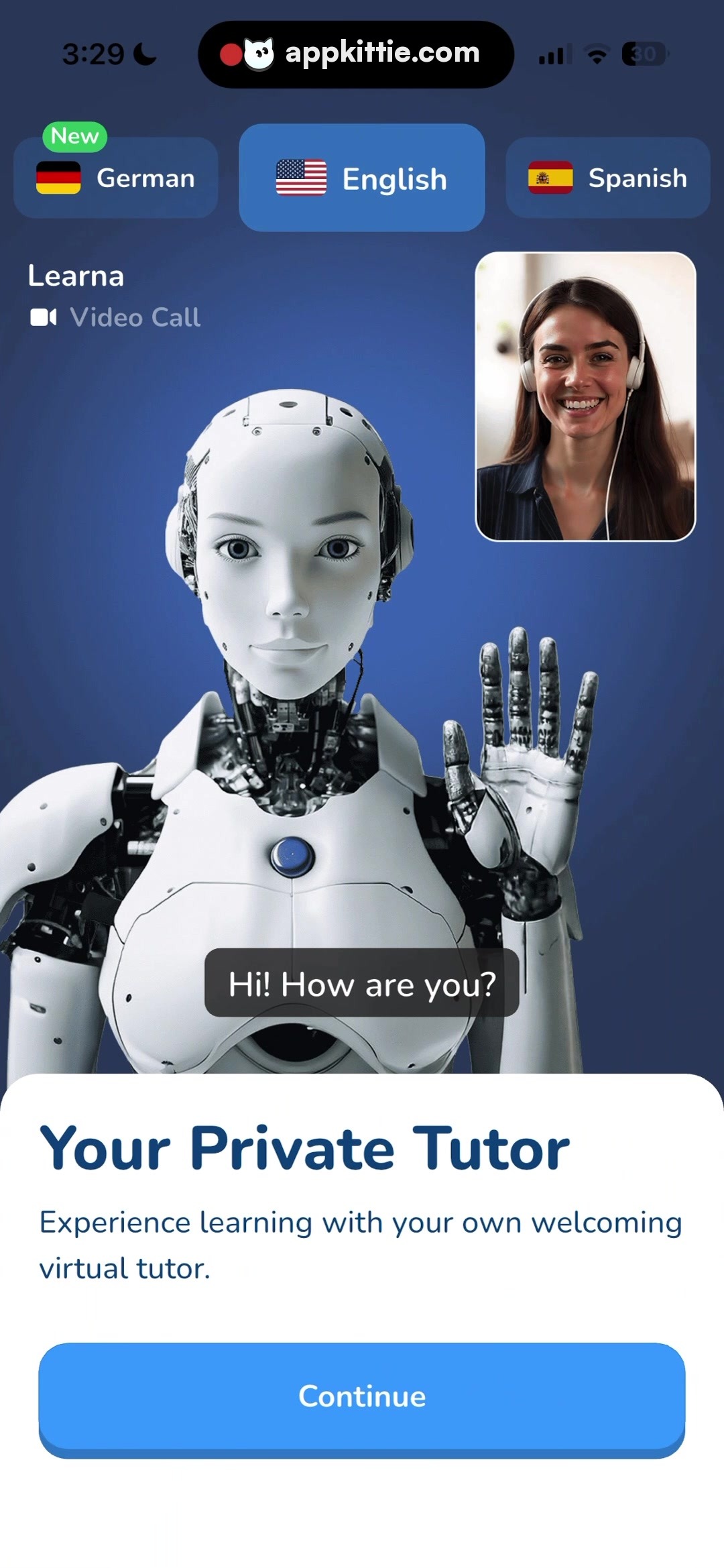
2Feature intro
Colors
- #273859Navy Midnight Background · dark background gradient top
- #1B2844Deep Royal Blue Background · dark background gradient bottom
- #3075CDSelected Pill Blue · selected language tab fill
- #2D3E5DUnselected Pill Charcoal · unselected language tab fill
- #FFFFFFPure White · bottom sheet background · tab text · robot shell highlight
- #308CF6Primary Action Blue · cta button background
- #133E6EDeep Navy Text · sheet header text
- #50D15CBadge Green · new indicator pill fill
Type
- Header LargeSF Pro Rounded · 68px · 800 · #133E6E
- Body SubtitleSF Pro Text · 36px · 400 · #133E6E
- Language Selector LabelSF Pro Text · 32px · 600 · #FFFFFF
- Video Call SubtitleSF Pro Text · 32px · 500 · #FFFFFF
- Speech Bubble TextSF Pro Text · 38px · 600 · #FFFFFF
Elements
Language Selection Tabs · segmented_control
Row of rounded horizontal pill buttons near the top below status bar, displaying flag icons and language names · Dark translucent pill shapes with active tab highlighted in royal blue; left pill contains small green 'New' chip
Video Call Inset Card · card
Top-right overlay positioned above main robot graphic; ~300px wide square-like aspect ratio · User video feed with white solid border and rounded corners
AI Dialogue Speech Bubble · tooltip
Centered over lower chest of robot character, dark rectangular pill · Dark charcoal translucent pill fill with white sans-serif text
Bottom Information Sheet · sheet
Fixed to bottom viewport spanning 100% width, height ~500px · Solid white card with upper rounded corners containing headline, paragraph, and CTA
Continue CTA Button · button
Bottom of white sheet, horizontal width spanning nearly full sheet with standard 50px side margins · Solid bright blue fill, centered bold white typography, subtle drop shadow
Layout
Dark-themed interactive simulation layout. Language filter bar sits at the top, followed by a simulated live video tutoring session featuring a central humanoid robot character and picture-in-picture user tile. Bottom anchors a clean white modal sheet with guidance text and progress button.
Notes
The robot character is a visual illustration render. The typography alternates between rounded bold titles and standard neutral sans body text.
Store


