
Speak: Language Learning
Speakeasy Labs · Education · $3M/mo · 220K downloads · ★ 4.8
Screens7
5Quiz
Colors
- #0D0E12screen-bg · screen background
- #1B1D22keyboard-bg · iOS system keyboard background
- #3E414Akey-surface · standard alphanumeric keys
- #181A22input-sheet-bg · text input sheet area
- #2B68E8accent-blue · text input cursor · progress bar segment
- #3C4252send-btn-disabled · inactive submit arrow circle
- #23262Fswitch-voice-pill · switch to voice pill background
- #FFFFFFtext-primary · key letters · bubble text
- #6C7280text-placeholder · Reply... placeholder
Type
- input placeholderSF Pro Text · 28px · 400 · #6C7280
- pill labelSF Pro Text · 20px · 500 · #8F95A3
- keyboard keysSF Pro Text · 30px · 400 · #FFFFFF
- keyboard suggestionsSF Pro Text · 24px · 400 · #E5E7EB
Elements
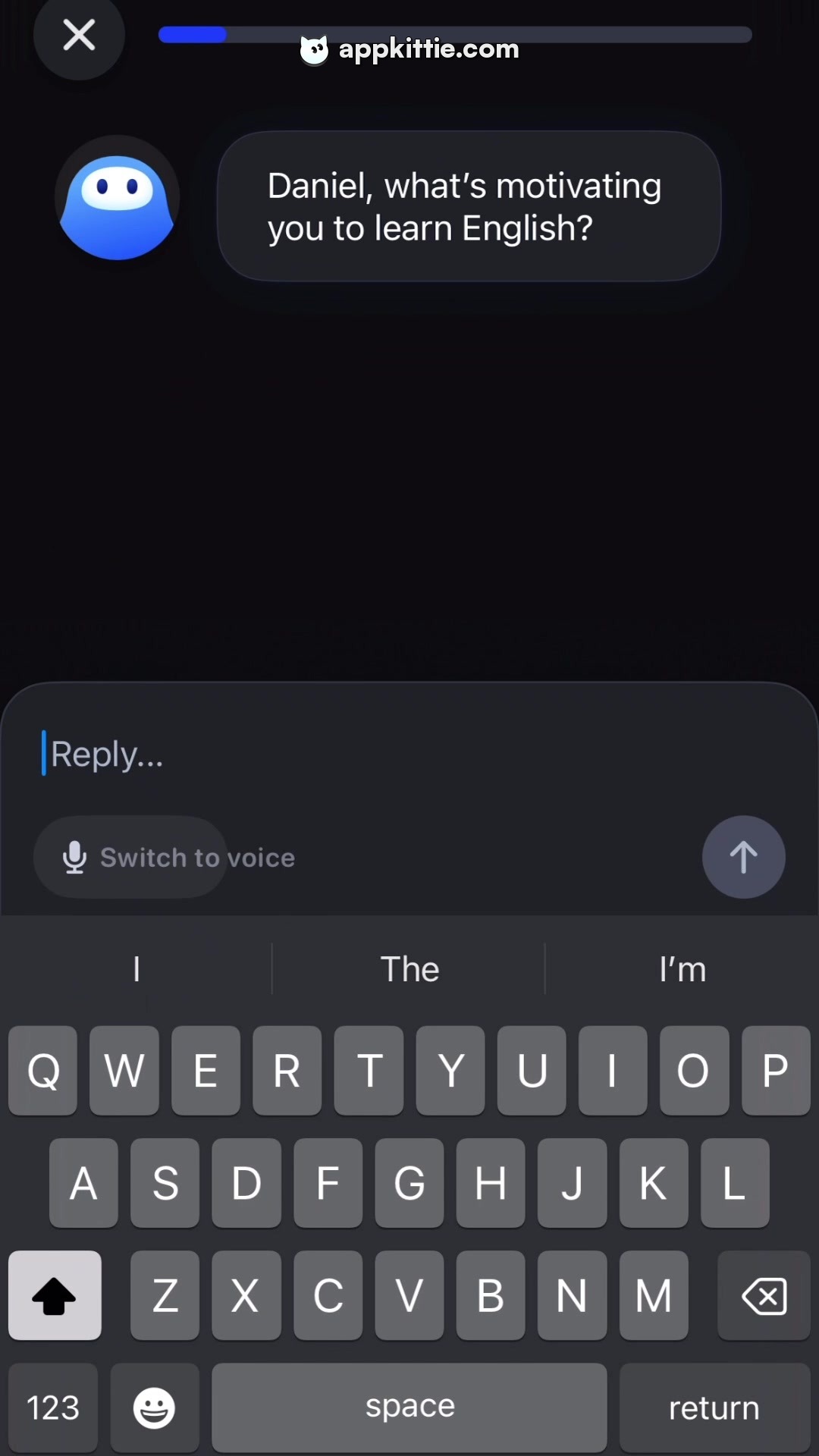
text input drawer · sheet/panel
Positioned immediately above the keyboard across full width · Dark panel featuring 'Reply...' field, blinking vertical blue cursor, voice toggle pill, and send button
switch to voice pill · button
Bottom-left of text reply drawer, height roughly 48px · Compact dark pill with microphone icon and label
send message button · button
Bottom-right of text reply drawer, diameter roughly 56px · Circular slate button with upward-pointing arrow icon
software keyboard · system keyboard
Occupies bottom 40% of the screen · Standard dark mode iOS QWERTY virtual keyboard with suggestion bar
Layout
Chat interface state with system keyboard active. AI question visible at the top, followed by an input composer panel and virtual keyboard at the bottom.
Notes
This view represents the text alternative mode triggered from the voice screen shown in Screen 3.
Store


