
Speak: Language Learning
Speakeasy Labs · Education · $3M/mo · 220K downloads · ★ 4.8
Screens7
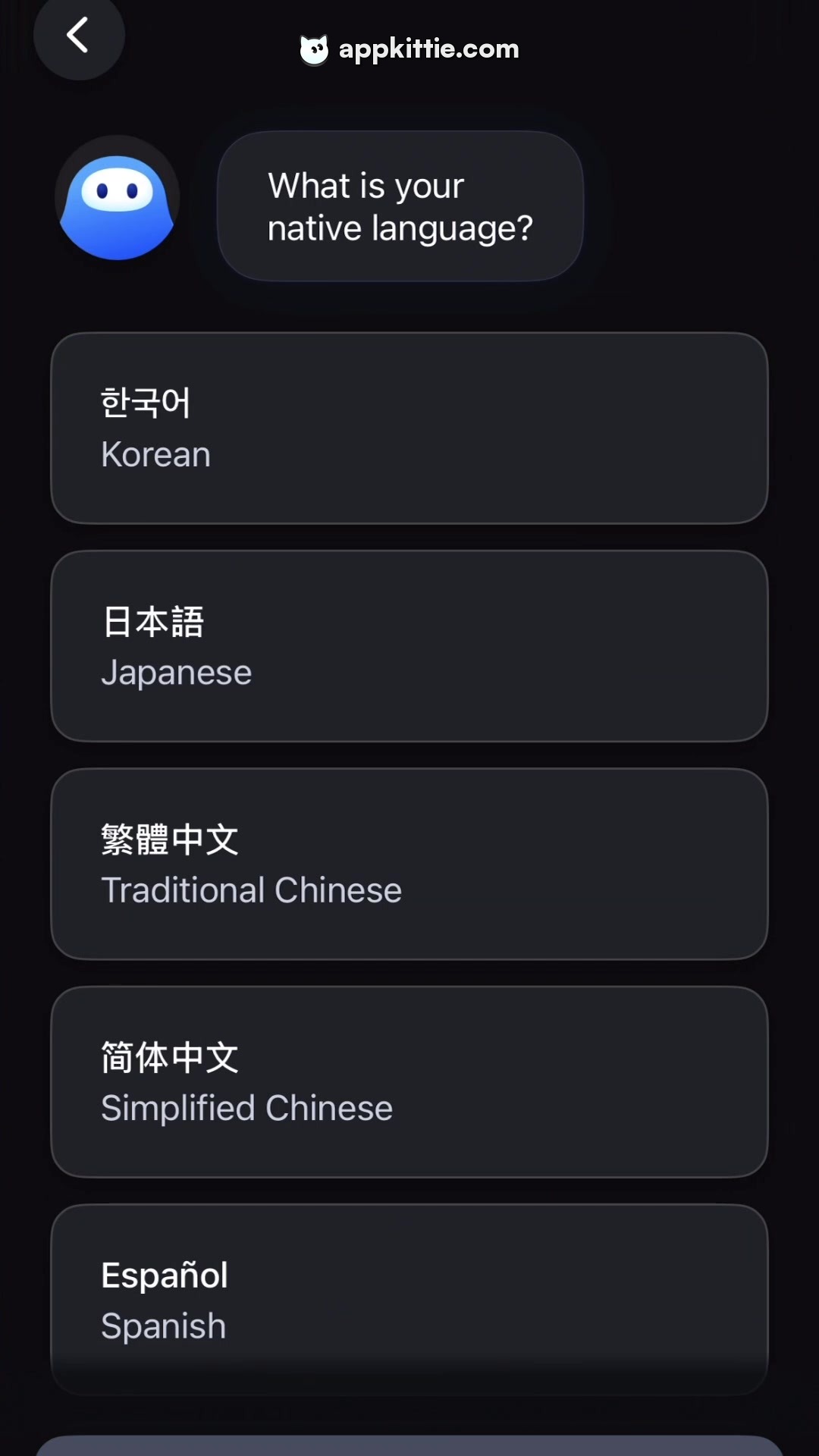
1Preferences
Colors
- #0D0E12background-dark · screen background
- #1E2026card-surface · language selection option background
- #1B1D24chat-bubble · assistant message bubble fill
- #FFFFFFtext-primary · primary native language script · assistant question text
- #8E929Etext-secondary · english language names
- #2866FFavatar-blue · bot avatar primary gradient fill
- #23262Fcontrol-surface · back button fill
Type
- chat questionSF Pro Display · 28px · 600 · #FFFFFF
- language titleSF Pro Text · 26px · 600 · #FFFFFF
- language subtitleSF Pro Text · 22px · 400 · #8E929E
Elements
navigation back button · button
Top-left header area, circular diameter approximately 72px · Dark charcoal circular pill with white left-chevron icon
assistant avatar · avatar
Left-aligned above the selection list, roughly 88px by 88px circle · Rounded blue gradient creature icon with two pill-shaped dark eyes
assistant chat bubble · container
Next to avatar, roughly 340px wide by 116px high with internal padding · Dark slate rounded pill-shaped container with subtle lighter border outline
language option cards · list item button
Vertical stack of full-width cards spanning the lower two-thirds of the screen, each about 130px tall · Dark rounded rectangle cards with subtle 1px border and stacked titles
Layout
Vertical conversational onboarding layout featuring top navigation, an AI prompt bubble on the left, and a vertically scrollable list of language selector cards.
Notes
Typography appears to follow system iOS sans-serif (SF Pro). Multi-script rendering handles Korean, Japanese, Chinese, and Latin characters.
Store


