
Speak English with Loora AI
Loora A.I LTD · Education · $1M/mo · 240.5K downloads · ★ 4.9
Screens26
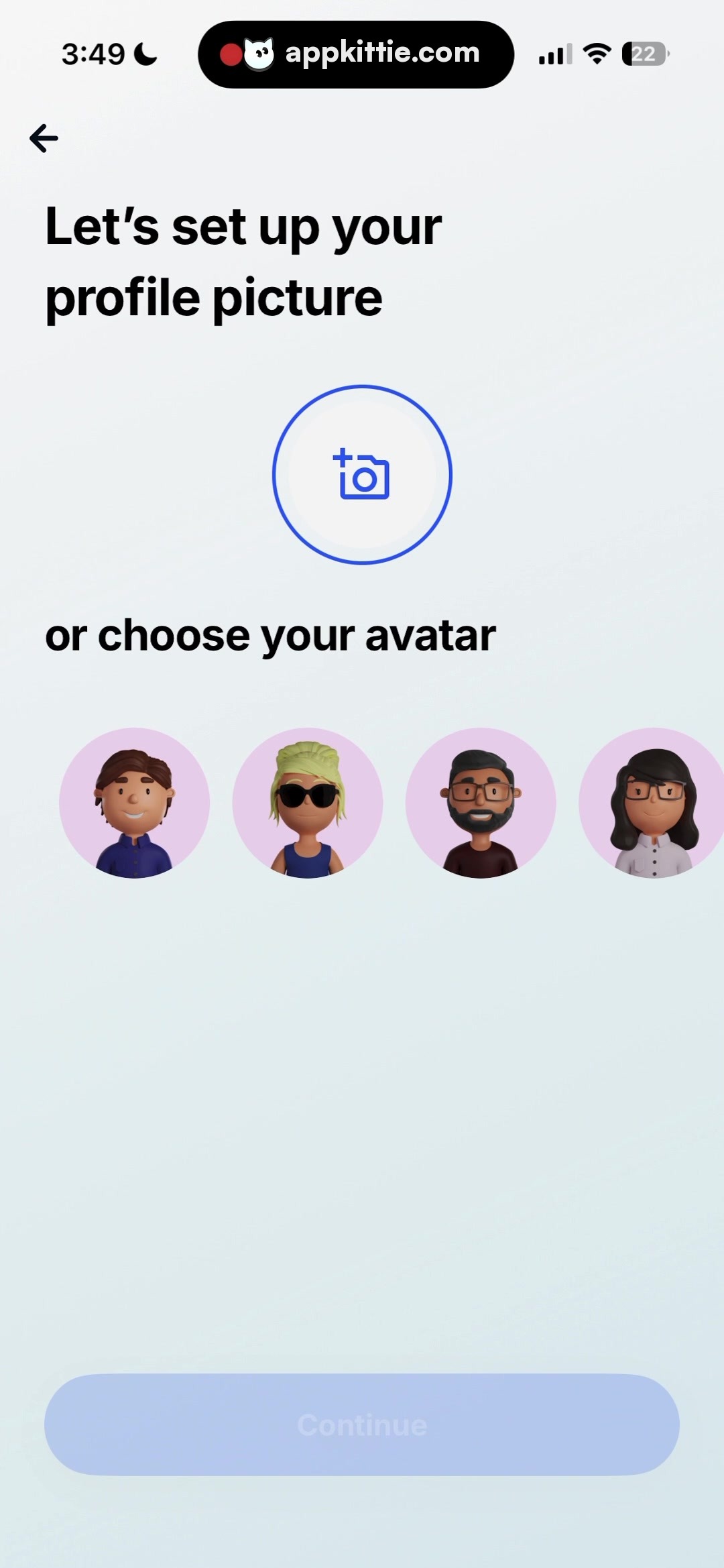
9Profile setup
Colors
- #F4F7FABackground Off-White · Screen background subtle gradient
- #0D1117Primary Text · Primary headings · Section labels
- #2752F4Action Blue · Camera border ring · Camera icon
- #BAC9F4Disabled Button Blue · Disabled CTA button fill
- #FFFFFFDisabled Button Text · Disabled CTA button label
- #E8D3E5Avatar Background Pink · Avatar bubble background fills
Type
- Screen TitleSF Pro Display · 72px · bold · #0D1117
- Section SubheadingSF Pro Text · 44px · bold · #0D1117
- Button LabelSF Pro Text · 38px · 600 · #FFFFFF
Elements
Navigation Back Button · icon_button
Top-left positioned below dynamic island, roughly 48x48px icon footprint. · Minimal back arrow glyph in solid dark grey/black.
Profile Picture Upload Ring · button
Centered horizontally in the upper-mid region, approximately 230x230px circle. · Transparent fill with 4px bright blue outline, containing a camera with plus sign icon.
Avatar Selection Carousel/Row · list
Evenly spaced row of 4 circular 3D avatars across the horizontal width (~180x180px each). · Circular pastel pink/purple flat background containing 3D rendered character busts.
Continue CTA Button · button
Fixed near bottom, full width with standard horizontal inset margins, ~120px height. · Muted blue pill shape, flat fill indicating disabled state with centered white text.
Layout
Single-column mobile onboarding flow. Top header with navigation and title, middle section split between custom upload action and preset avatar grid, fixed bottom action bar.
Notes
Exact typeface resembles Apple's system font (SF Pro Display/Text) or Inter. Measurement basis estimated from standard ~1170px viewport.
Store


