
Speak English with Loora AI
Loora A.I LTD · Education · $1M/mo · 240.5K downloads · ★ 4.9
Screens26
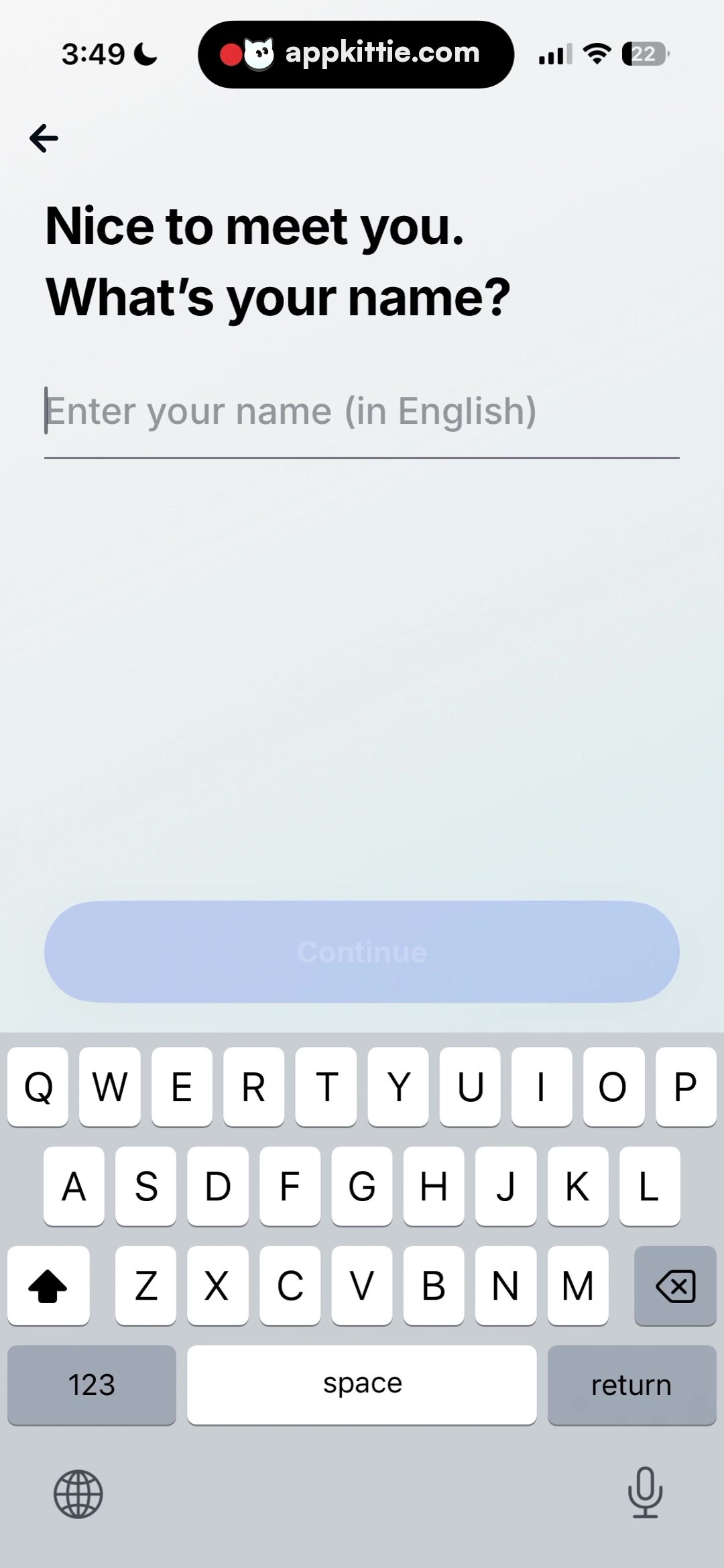
7Profile setup
Colors
- #EEF5FACanvas Ice Blue · view background tint
- #111417Primary Black · headline text · back navigation arrow
- #8E959EPlaceholder / Underline Gray · text input placeholder · input bottom underline border · cursor
- #CAD7F3Disabled Button Background · inactive Continue button background
- #9EAFDDDisabled Button Label · inactive Continue text label
- #FFFFFFKeyboard Key White · virtual keyboard character keys
- #D1D5DCKeyboard Background Gray · virtual keyboard tray
Type
- Screen TitleSF Pro Display · 80px · 800 · #111417
- Text Field PlaceholderSF Pro Text · 54px · 400 · #8E959E
- Primary Button LabelSF Pro Text · 46px · 700 · #9EAFDD
Elements
Back Navigation Button · icon_button
Top-left below status bar. · Black back arrow icon.
Underlined Text Input · text_field
Positioned below the header, spanning across screen with ~70px horizontal margins. · Transparent input area with thin dark gray underline border, blinking text cursor, and muted placeholder text.
Bottom CTA Button (Disabled) · button
Resting immediately above the software keyboard, horizontal margins ~70px, ~160px height. · Pill shape filled with light desaturated blue and faint text.
iOS Virtual Keyboard · container
Bottom-docked software keyboard occupying lower third of the screen. · Standard iOS light mode keyboard layout with white keys on gray base.
Layout
Name entry onboarding step with top navigation, prominent two-line heading, single-line underlined text entry, disabled action button anchored directly above the active keyboard.
Notes
Input is currently empty with placeholder 'Enter your name (in English)' visible.
Store


