
Mirrativ
Mirrativ, Inc. · Social Networking · $900K/mo · 9K downloads · ★ 4.3
Screens31
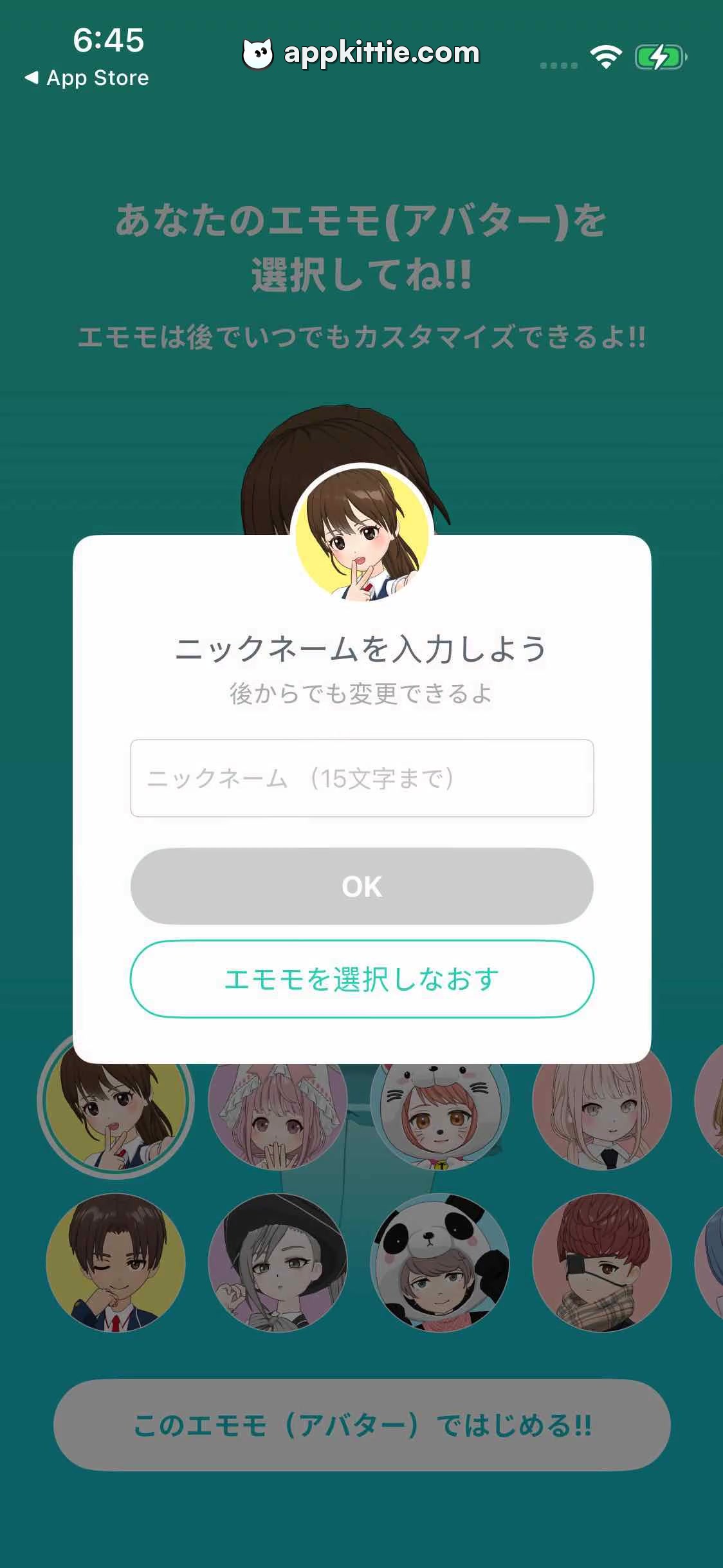
7Profile setup
Colors
- #137471Dimmed Screen Backdrop · Dimmed background overlay
- #FFFFFFDialog Surface White · Modal card background
- #D1DCE2Input Stroke Grey · Text input field outline border
- #8E9EAAPlaceholder Grey · Input field placeholder text
- #C6CACCDisabled Button Grey · Disabled OK button fill
- #19B9B3Outline Button Teal · Secondary action border and text color
Type
- Dialog TitleHiragino Sans · 36px · 700 · #334149
- Dialog SubtitleHiragino Sans · 24px · 400 · #768691
- Input PlaceholderHiragino Sans · 28px · 400 · #8E9EAA
- Primary Button LabelHiragino Sans · 30px · 700 · #FFFFFF
- Secondary Button LabelHiragino Sans · 30px · 700 · #19B9B3
Elements
Avatar Header Badge · Image Badge
Circular thumbnail overlapping the top edge of the dialog card, centered at x=500, y=340. · Circular portrait of chosen avatar with bright yellow ring accent.
Nickname Input Modal Card · Modal Card
Centered overlay card, spanning ~80% of width, height ~350px, y=340 to y=675. · Solid white container with rounded corners and subtle drop shadow.
Nickname Text Input · Text Field
Full width inside modal with side padding, height ~70px. · Light grey outline border with placeholder text 'ニックネーム(15文字まで)'.
OK Confirmation Button · Button
Centered pill button inside modal below text field, height ~65px. · Solid light grey pill shape with white text 'OK', indicating inactive/disabled state.
Reselect Avatar Button · Button
Centered pill button positioned below OK button, height ~65px. · Transparent fill with teal outline border and teal text 'エモモを選択しなおす'.
Layout
Darkened overlay above avatar customization view displaying a centered popup card prompting the user for their profile nickname.
Notes
The OK button is disabled pending text entry in the nickname field.
Store


