
Mirrativ
Mirrativ, Inc. · Social Networking · $900K/mo · 9K downloads · ★ 4.3
Screens31
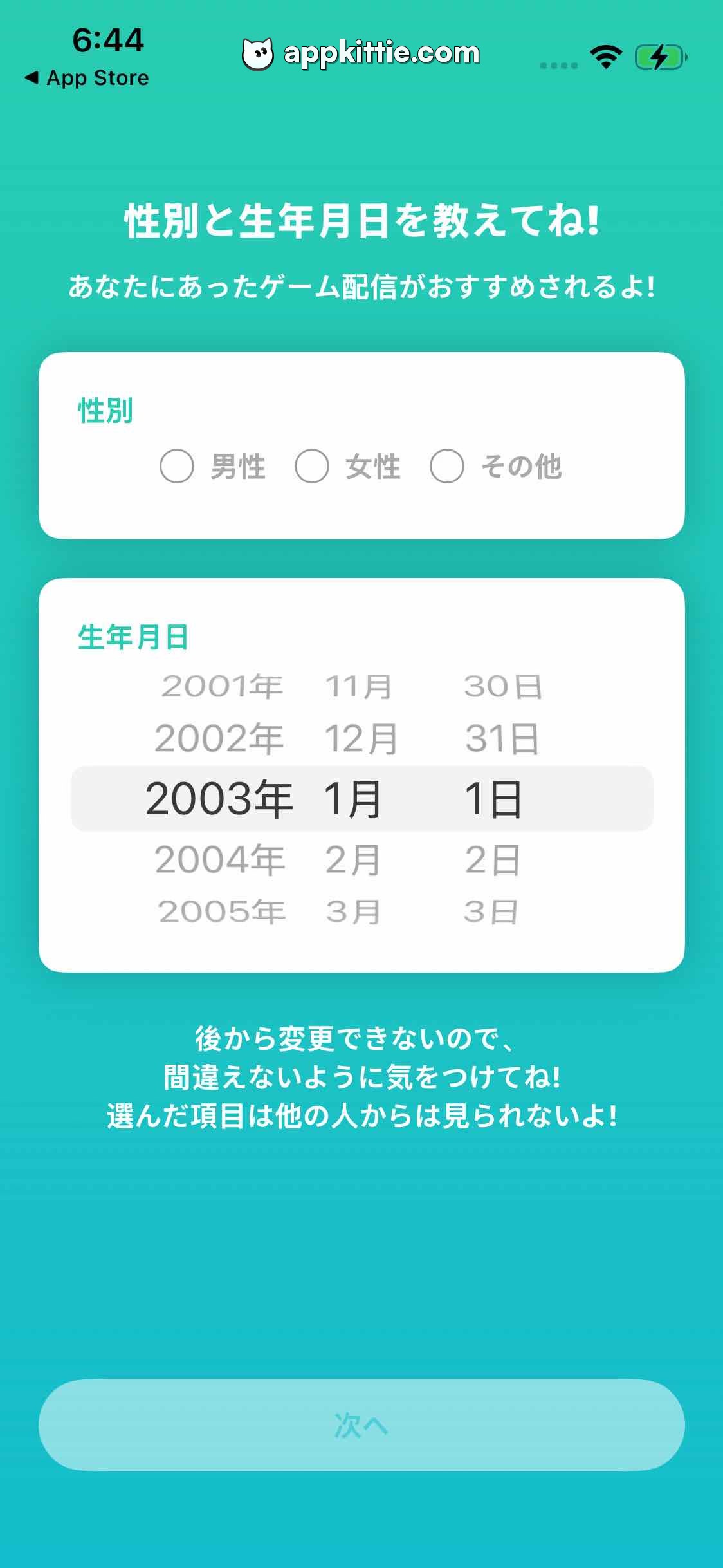
5Profile setup
Colors
- #16B8B3Teal Turquoise · Screen background
- #FFFFFFPure White · Card surfaces · Headings and description text
- #1CA7A3Teal Card Heading · Section title inside cards
- #F0F4F6Selected Date Highlight · Date picker selection row highlight
- #8FA3ACUnselected Date Text · Wheeled picker unselected entries
- #1C262CSelected Date Text · Active wheeled date selection
- #89DCD7Disabled Button Teal · Next button disabled fill
Type
- Screen Main HeaderHiragino Sans · 44px · 700 · #FFFFFF
- Screen SubheaderHiragino Sans · 28px · 500 · #FFFFFF
- Card Category LabelHiragino Sans · 32px · 700 · #1CA7A3
- Radio Button LabelHiragino Sans · 32px · 500 · #6D7E87
- Picker Wheel RowSF Pro Display · 38px · 500 · #8FA3AC
- Bottom Advisory NoticeHiragino Sans · 26px · 700 · #FFFFFF
Elements
Gender Selection Card · Card Form Section
Margin ~50px left and right, width ~900px, y=225 to y=345. · White rounded rectangle containing category label and 3 radio circle inputs with labels (Male, Female, Other).
Birthdate Picker Card · Card Form Section
Same width as Gender Card, placed below it with ~24px vertical gap, y=365 to y=625. · White rounded rectangle housing a 3-column scroll wheel for Year, Month, and Day with a rounded gray selected row pill.
Next CTA Button · Button
Bottom anchored pill button, full width with standard horizontal padding, y=880 to y=940. · Light pastel turquoise rounded pill fill (#89DCD7) with white text '次へ', indicating disabled state.
Layout
Vertical form layout starting with a two-line instruction header, two card-based inputs (gender radio, birthdate drum roll picker), a centered two-line warning text, and a sticky bottom action button.
Notes
The birthdate selector uses a classic iOS UIPickerView drum roll presentation encapsulated inside a flat white card.
Store


