iTranslate Translator
Mosaic S.r.l. · Productivity · $1M/mo · 100.3K downloads · ★ 4.7
Screens24
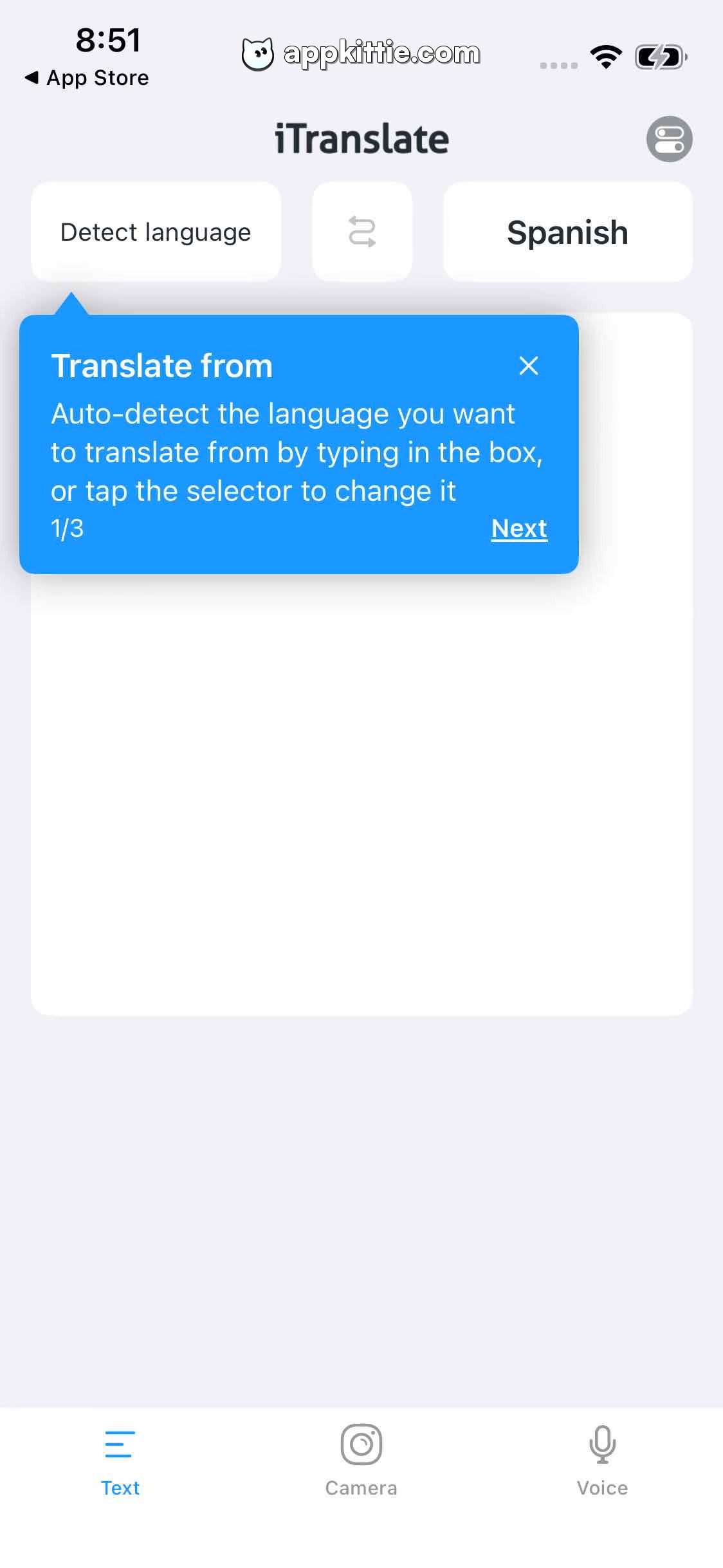
15Onboarding
Colors
- #0088FFprimary-sky-blue · instructional tooltip bubble fill · active tab icon & label
- #FFFFFFcard-background-white · main text translation container · language selector buttons · tooltip text
- #F2F4F7app-background-light · screen general background
- #8E8E93nav-inactive-gray · inactive tab icons and text labels · language swap icon
- #1C2434app-title-dark · header title 'iTranslate' · language picker labels
Type
- header-titleSF Pro Display · 44px · 800 · #1C2434
- tooltip-headingSF Pro Text · 38px · 700 · #FFFFFF
- tooltip-bodySF Pro Text · 32px · 400 · #FFFFFF
- tooltip-actionSF Pro Text · 32px · 700 · #FFFFFF
- tab-labelSF Pro Text · 24px · 500 · #0088FF
Elements
language_selector_bar · toolbar
Top row below header, spanning horizontally with source language button, middle swap arrows, and target language button. · Rounded white rectangular capsules on pale gray canvas with soft elevation.
coachmark_tooltip · popover
Floating over translation card pointing upward to 'Detect language', width 790px, height 310px. · Solid bright blue card with triangular pointer at top-left, drop shadow, white text, close cross top right, and step counter '1/3' beside 'Next'.
text_translation_canvas · card
Center main area, large white card filling majority of screen height. · Pure white rounded card container for input and output.
bottom_navigation_bar · tab_bar
Docked at bottom, 3 visible items: 'Text', 'Camera', 'Voice'. · White bar with top border divider, blue active icon for 'Text', gray outline icons for camera and microphone.
Layout
Main translation interface with header branding, language picker bar, large text interaction workspace, first-run walkthrough guide popover, and persistent bottom tab bar.
Notes
Coachmark indicates step 1 of 3 onboarding tutorial.
Store