
Instories: AI Photo & Video
Ylee Studio LTD · Photo & Video · $1M/mo · 200K downloads · ★ 4.8
Screens18
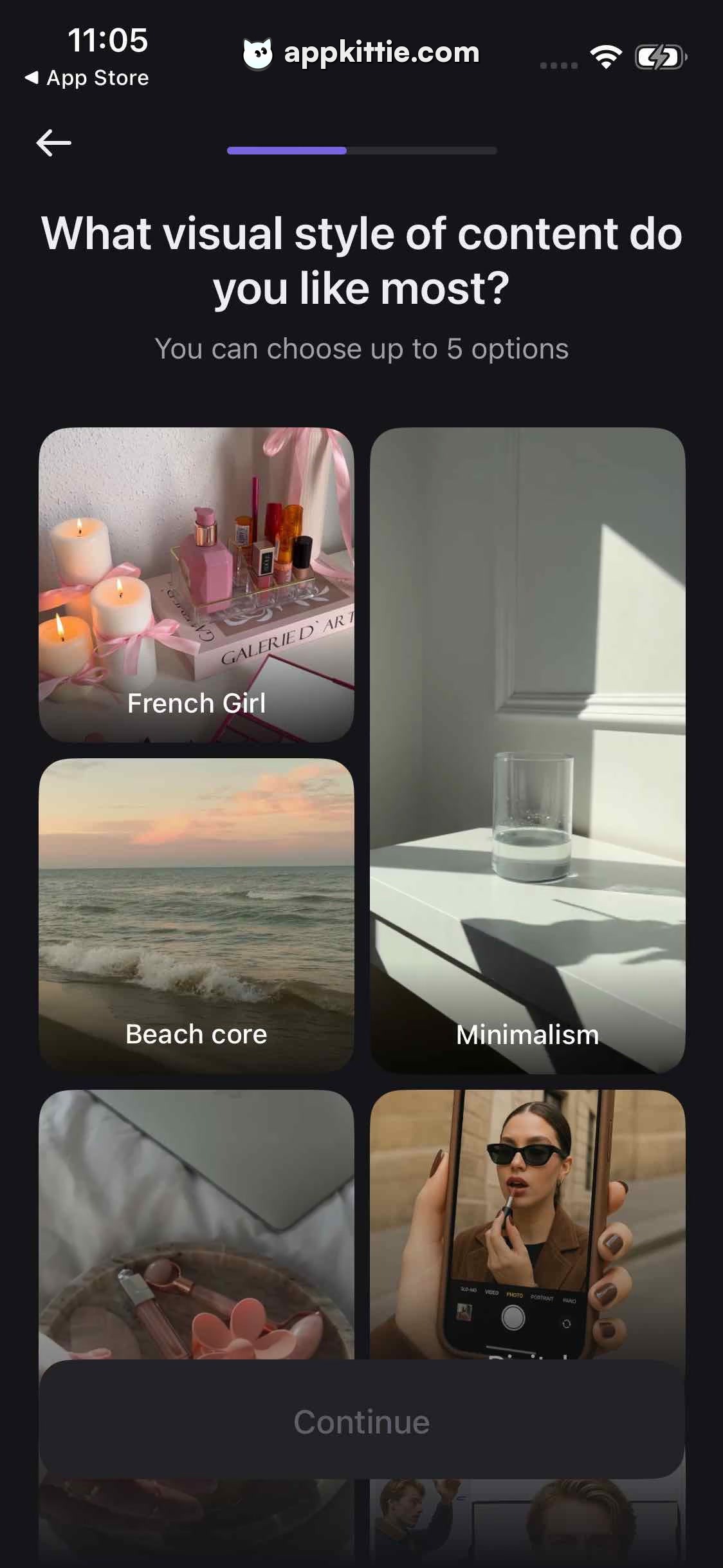
10Preferences
Colors
- #131317Background · page background
- #7B6CE6Active Progress · step progress fill
- #292934Track Inactive · step progress track
- #FFFFFFPrimary Text · headline · top nav arrow · card title overlay
- #9C9CA5Secondary Text · subtitle description
- #FFFFFFCard Caption Text · category labels on image thumbnails
- #212127Disabled Button Background · inactive CTA container
- #4D4D58Disabled Button Text · inactive CTA label
Type
- Screen TitleSF Pro Display · 54px · 700 · #FFFFFF
- Screen SubtitleSF Pro Text · 34px · 400 · #9C9CA5
- Tile CaptionSF Pro Text · 32px · 500 · #FFFFFF
- Bottom Action LabelSF Pro Text · 36px · 600 · #4D4D58
Elements
Back Button · icon_button
Top-left aligned at approx 54px left margin below status bar · Left-pointing line arrow rendered in solid white
Step Progress Indicator · progress_indicator
Centered horizontally in navigation area, approx 360px wide, 10px tall · Horizontal pill bar with violet active progress on left and charcoal background
Image Style Tile · card_button
Two columns with staggered heights (e.g. left column cards approx 400px and 380px tall, right card taller approx 760px tall), 28px gap · Full-bleed photographic cover with soft inner gradient overlay and centered white label text near bottom
Continue CTA Button · cta_button
Pinned to bottom with approx 54px side padding and approx 68px bottom clearance, height approx 140px · Dark rounded rectangle with subdued disabled label indicating selection required
Layout
Single-page selection flow: top navigation with step counter, centered multiline heading section, scrollable staggered two-column moodboard card grid, anchored bottom CTA container.
Notes
Tiles show varied aspect ratios in a masonry arrangement; no items are selected yet, keeping the Continue button disabled.
Store


