
Gizmo: AI Tutor
GIZMO AI LTD · Education · $1.5M/mo · 767.8K downloads · ★ 4.8
Screens24
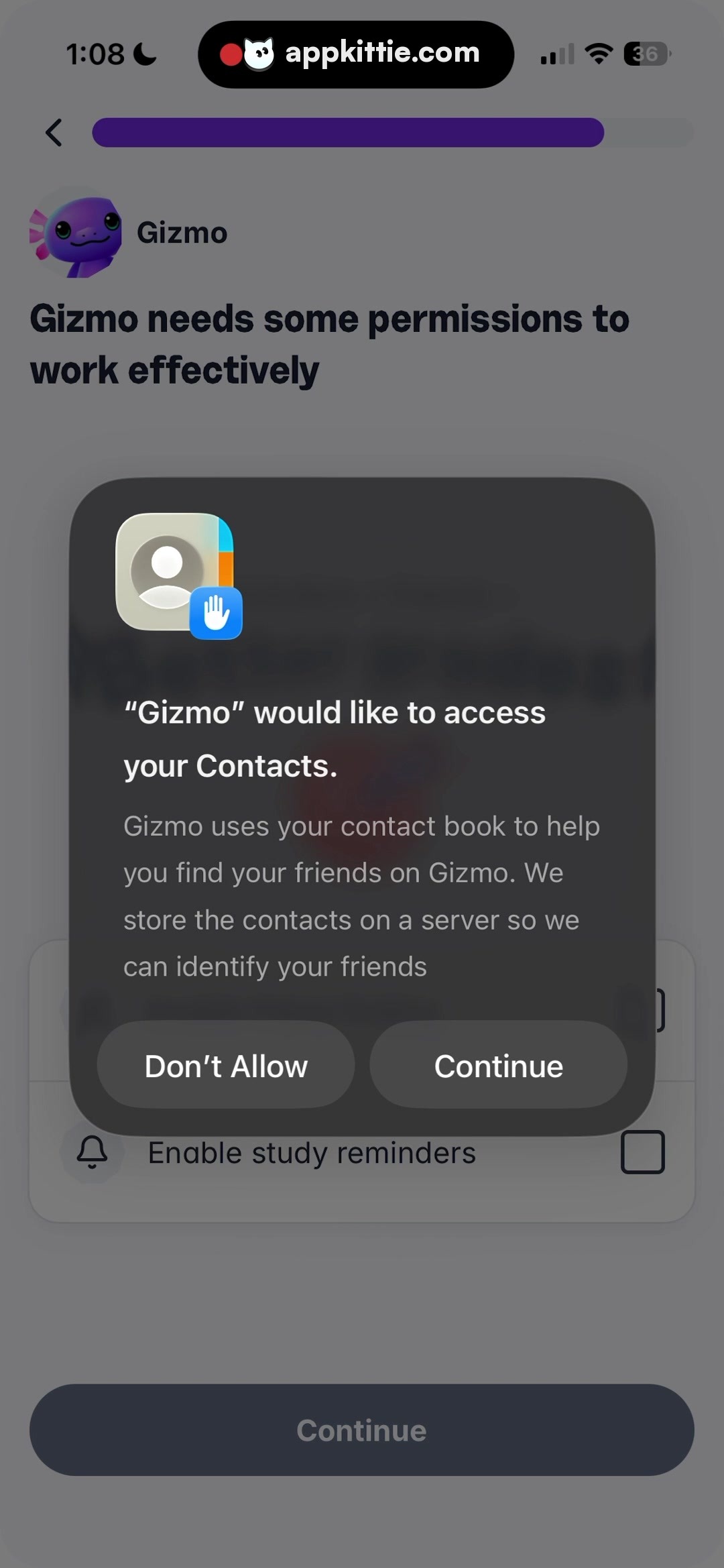
9Permissions
Colors
- #3E4148Dark Overlay · Modal backdrop scrim · Background dimming
- #404043Dialog Surface · System permission dialog card background
- #5A5A5EDialog Action Fill · Permission button background
- #FFFFFFDialog Text Primary · Dialog title text · Button labels
- #CCCCCCDialog Text Secondary · Permission explanation body text
- #6027BCProgress Purple · Top progress indicator bar fill
- #434B5CDisabled Button Slate · Bottom sticky continue button fill
Type
- Screen HeaderSF Pro Display · 54px · 800 · #1C2434
- Dialog TitleSF Pro Text · 42px · 700 · #FFFFFF
- Dialog BodySF Pro Text · 34px · 400 · #CCCCCC
- Dialog Button LabelSF Pro Text · 38px · 600 · #FFFFFF
Elements
Contacts Permission Alert · Modal dialog
Centered horizontally and vertically over background, width ~880px, padding ~60px · Dark charcoal rounded card with soft drop shadow, dual-action button row at base
Permission Icon Badge · Graphic badge
Centered top of dialog, contacts book glyph overlayed with blue hand access badge · Multicolor squircle illustration with iOS contacts aesthetic and sub-badge
Don't Allow Action Button · Button
Left half of dialog bottom row, height ~120px · Medium-gray pill button with centered white text
Continue Action Button · Button
Right half of dialog bottom row, height ~120px · Medium-gray pill button with centered white text
Primary Screen Continue CTA · Button
Fixed bottom centered, span ~90% screen width, height ~130px · Dimmed dark slate rounded pill button
Layout
Dimmed full-screen modal presentation over multi-step onboarding wizard. Progress track anchored at top, primary header behind backdrop.
Notes
System-style or custom pre-permission dialog overlaying the permissions setup step.
Store


