
Gizmo: AI Tutor
GIZMO AI LTD · Education · $1.5M/mo · 767.8K downloads · ★ 4.8
Screens24
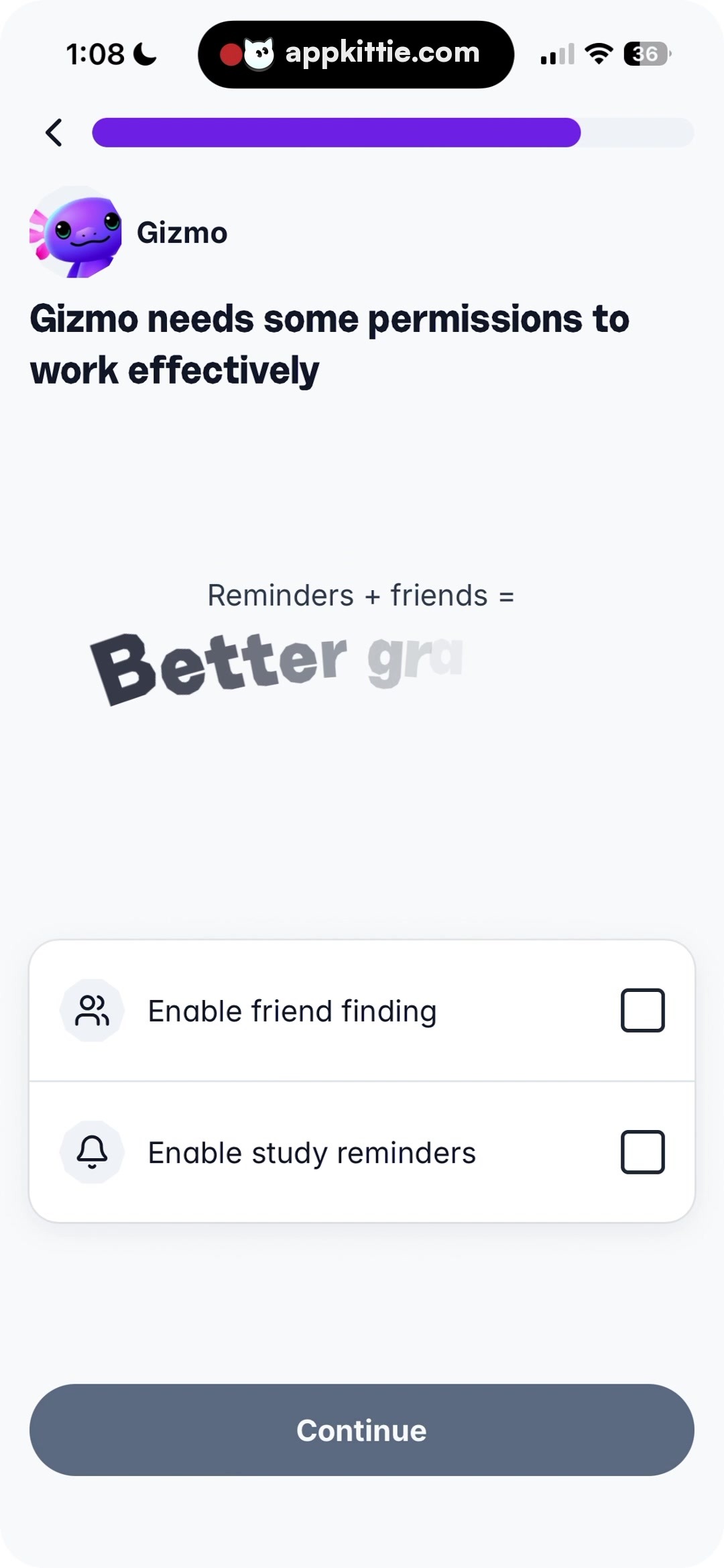
8Permissions
Colors
- #F9FAFCBackground Off-White · Screen background
- #FFFFFFCard White · Permission group card background
- #111827Primary Dark · Screen title · Back button
- #6F32E6Brand Purple · Progress bar active fill
- #374151Graphic Dark Charcoal · Word 'Better' in illustration
- #5A6E85Button Slate Blue · Continue button fill
- #111827Checkbox Border Dark · Unchecked toggle box outline
- #E5E7EBBorder Gray · Permission card outline and internal divider
Type
- Screen TitleSF Pro Display · 38px · 800 · #111827
- Illustration Equation HeaderSF Pro Text · 24px · 600 · #374151
- Illustration Display WordDruk Wide · 60px · 900 · #374151
- List Row LabelSF Pro Text · 26px · 600 · #111827
- Primary Button LabelSF Pro Text · 26px · 700 · #FFFFFF
Elements
Progress Track · Progress Bar
Top row beside back button · Horizontal progress track filled ~75% with purple
Motivational Graphic · Illustration / Callout
Centered horizontally in the upper-middle area · Formula text 'Reminders + friends =' over skewed display text 'Better grades' with opacity gradient fade
Permissions Card Container · Grouped Card
Positioned above bottom button with side margins · White rounded rectangle with thin gray border, split horizontally by a divider line
Permission Row 1 (Friend finding) · Toggle List Item
Top half of permissions card · Leading avatar icon in circular gray container, title, and trailing empty square checkbox
Permission Row 2 (Study reminders) · Toggle List Item
Bottom half of permissions card · Leading bell icon in circular gray container, title, and trailing empty square checkbox
Continue Button · Primary Button
Pinned near bottom margin · Solid slate blue rounded pill button with centered white text
Layout
Permissions opt-in screen: top header and high-progress indicator, central visual equation graphic, grouped 2-row permission selection container, and sticky bottom action button.
Notes
Checkboxes appear unchecked by default. The Continue button is active in slate blue despite no options yet checked, suggesting soft opt-in.
Store


