
Gizmo: AI Tutor
GIZMO AI LTD · Education · $1.5M/mo · 767.8K downloads · ★ 4.8
Screens24
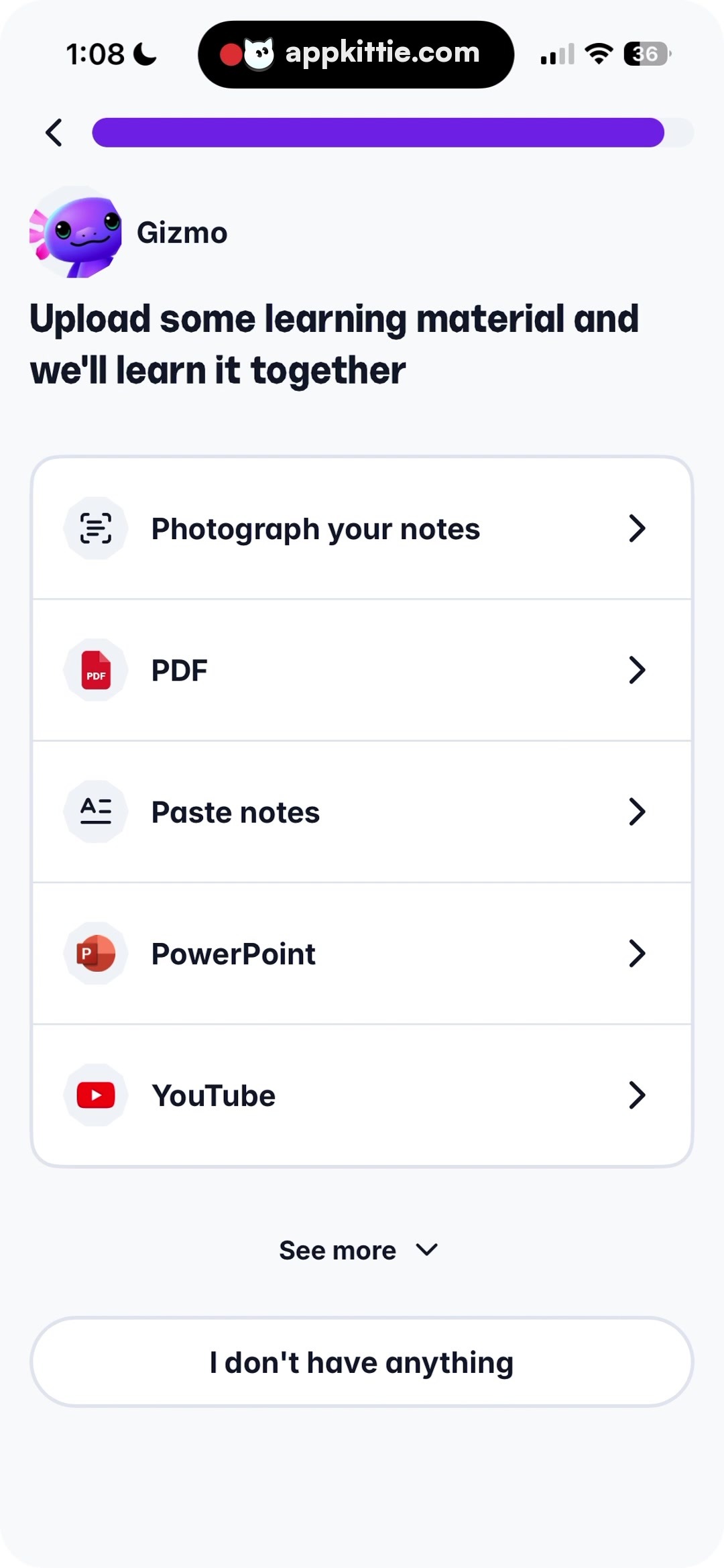
14Onboarding
Colors
- #F8F9FBPage Background · Screen canvas background
- #FFFFFFCard Surface · Action items menu card background
- #ECEFF3Divider Line · Item divider borders
- #191E2CText Dominant · Headline · Option labels · Bottom button text
- #6027BCProgress Purple · Top progress indicator
- #DE2F37PDF Red · PDF icon glyph
- #C94528PowerPoint Orange · PowerPoint icon glyph
- #E62117YouTube Red · YouTube icon glyph
Type
- TitleNunito · 52px · 800 · #191E2C
- List Item TextNunito · 42px · 700 · #191E2C
- See More TextNunito · 38px · 700 · #191E2C
- Button LabelNunito · 42px · 700 · #191E2C
Elements
Import Options Card · Menu list container
Centered horizontally, span ~90% screen width, containing 5 rows · White card container with soft outline and rounded corners, rows separated by 1px light gray dividers
Row Chevron · Icon
Trailing edge of each item row, right-pointing angle bracket ~32px · Dark gray line chevron
See More Toggle · Button / Link
Centered below options card, row with downward chevron · Text with trailing small arrow icon
I Don't Have Anything Button · Button
Bottom anchored pill, span ~90% screen width, height ~136px · White background with light stroke outline and dark centered text
Layout
Step in onboarding flow with progress bar on top, instructions header, single card listing source options (Camera, PDF, Paste, PPT, YouTube), expandable link, and bottom fallback button.
Notes
All row items have dedicated icons inside tinted circular/square background badges.
Store


