
StormCam - Apple Log Video
Hangzhou Ostar Media Co.,Ltd. · Photo & Video · $600K/mo · 2M downloads · ★ 4.8
Screens9
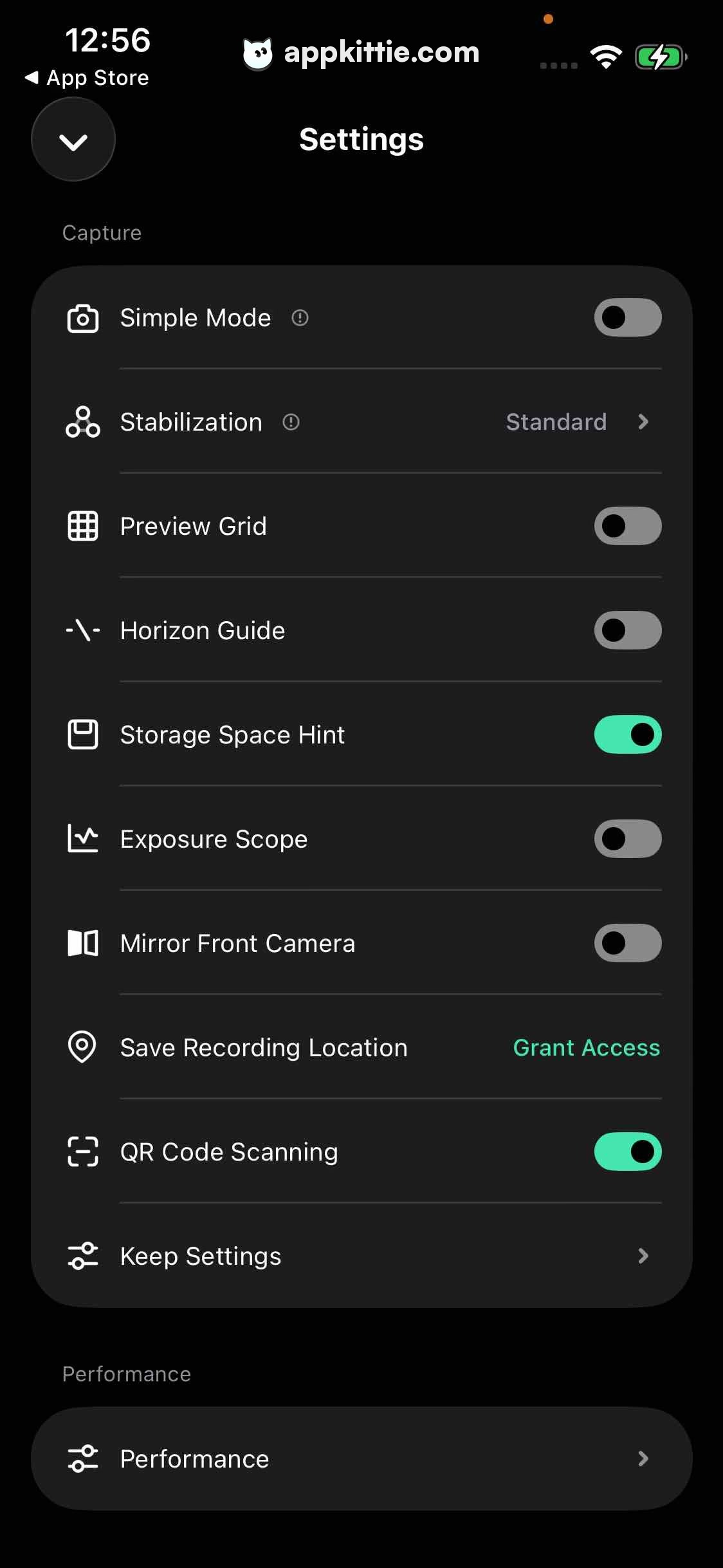
7Settings
Colors
- #000000Settings Background · Screen background
- #131314Section Card Fill · Grouped settings container
- #636366Switch Off Thumb/Track · Toggle switch off state track
- #4EE1A8Switch On Accent · Active toggle switch track · Grant Access link text
- #FFFFFFText Primary · Header · Row titles
- #8E8E93Text Muted · Section labels · Row values · Disclosure chevrons
- #232326Divider Hairline · List item separators
Type
- Screen TitleSF Pro Display · 38px · 700 · #FFFFFF
- Section HeaderSF Pro Text · 28px · 500 · #8E8E93
- Settings Item TitleSF Pro Text · 34px · 500 · #FFFFFF
- Action Link TextSF Pro Text · 32px · 600 · #4EE1A8
Elements
Dismiss Chevron Button · button
Top-left header, 88x88 px rounded circle containing downward chevron · Dark charcoal fill (#1C1C1E) with white downward icon
Capture Settings Group · list
Large rounded card holding 10 settings rows under 'Capture' section · Charcoal card (#131314) with hairline horizontal dividers and 48 px horizontal margins
Toggle Switch Controls · switch
Right-aligned in rows: Simple Mode, Preview Grid, Horizon Guide, Storage Space Hint, Exposure Scope, Mirror Front Camera, QR Code Scanning · iOS style pill toggle switches, colored bright mint green (#4EE1A8) when enabled and dark gray when disabled
Inline Action Link · button
Right side of 'Save Recording Location' row · Text link 'Grant Access' in bright mint green typography (#4EE1A8)
Layout
Standard iOS modal sheet settings view featuring section header 'Capture', grouped rounded list card with icon-led rows, toggles, navigation chevrons, and secondary sections.
Notes
Storage Space Hint and QR Code Scanning switches are currently ON.
Store


