
Coursera: Grow your career
Coursera · Education · $703.1K/mo · 100.4K downloads · ★ 4.8
Screens11
1Settings
Colors
- #000000background_black · main surface fill · modal background
- #FFFFFFtext_primary · title text · primary body text · row labels
- #B0B3B8text_secondary · explanatory copy · icon tint
- #34C759toggle_active_green · switch track active state
- #0C1F3Finfo_box_fill · callout container background
- #1B4F8Ainfo_box_border · callout container border
- #4B8FE2info_text_title · callout title text · callout icon fill
- #D8E4F2info_text_body · callout body copy
- #1E3A5Fbutton_outline · close button border
Type
- modal_titleSource Sans 3 · 56px · 700 · #FFFFFF
- body_descriptionSource Sans 3 · 38px · 400 · #FFFFFF
- setting_row_labelSource Sans 3 · 38px · 500 · #FFFFFF
- callout_titleSource Sans 3 · 36px · 700 · #4B8FE2
- callout_bodySource Sans 3 · 34px · 400 · #D8E4F2
- button_labelSource Sans 3 · 36px · 600 · #FFFFFF
Elements
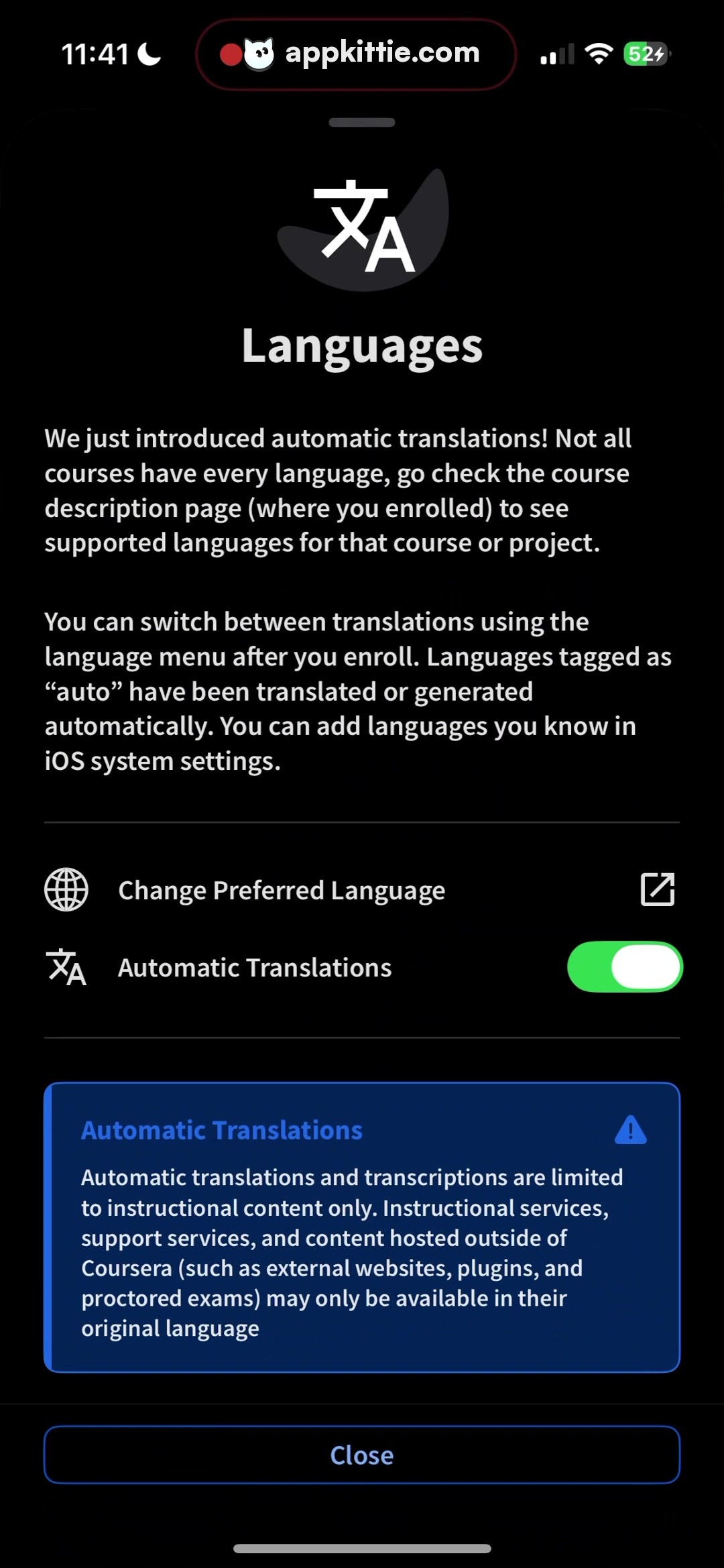
language_hero_icon · illustration_icon
centered above modal title, roughly 180x150 px bounding box · bilingual character glyphs (Kanji/Hanzi and Latin A) in white over a dark gray organic blob shape
change_preferred_language_row · list_row
full width with 48px horizontal margins, flex layout with icon on left, title in center, external link icon on right · transparent background, white iconography and text
automatic_translations_toggle_row · list_row
full width with 48px horizontal margins, icon and text on left, switch control on right · transparent background, standard iOS-style green toggle with white round thumb
automatic_translations_callout · callout_card
full width with 48px horizontal margins, interior padded by roughly 40px · deep blue-navy fill with thin 2px lighter blue outline and warning triangle badge at top right
close_button · button
pinned near bottom, full width minus 96px margins, height approx 110px · dark transparent fill with subtle thin outline, centered white text
Layout
Bottom-sheet modal presentation with grab bar at top, followed by hero icon, title, two body explanation paragraphs, interactive settings list rows, informational disclaimer card, and fixed close action button.
Notes
Coursera's mobile interface uses a custom sans font closely resembling Source Sans 3 or SF Pro Text. Exact colors are rendered in dark mode.
Store


