Blinkist: Book Summaries Daily
Blinks Labs · Education · $1M/mo · 60.1K downloads · ★ 4.8
Screens6
3Permissions
Colors
- #000000Black Dim Overlay · Backdrop scrim over app UI
- #1C1C1EDialog Surface Gray · Modal permission dialog container fill
- #323234Dialog Button Fill · Modal button pill fills
- #FFFFFFWhite Text · Modal title text · Button labels
- #8E8E93Secondary Text Gray · Modal body description
- #1A3238Top Close Button Background · Background circle behind close cross in dimmed app background
Type
- Dialog TitleSF Pro Display · 38px · 700 · #FFFFFF
- Dialog BodySF Pro Text · 28px · 400 · #8E8E93
- Dialog Action LabelSF Pro Text · 32px · 600 · #FFFFFF
Elements
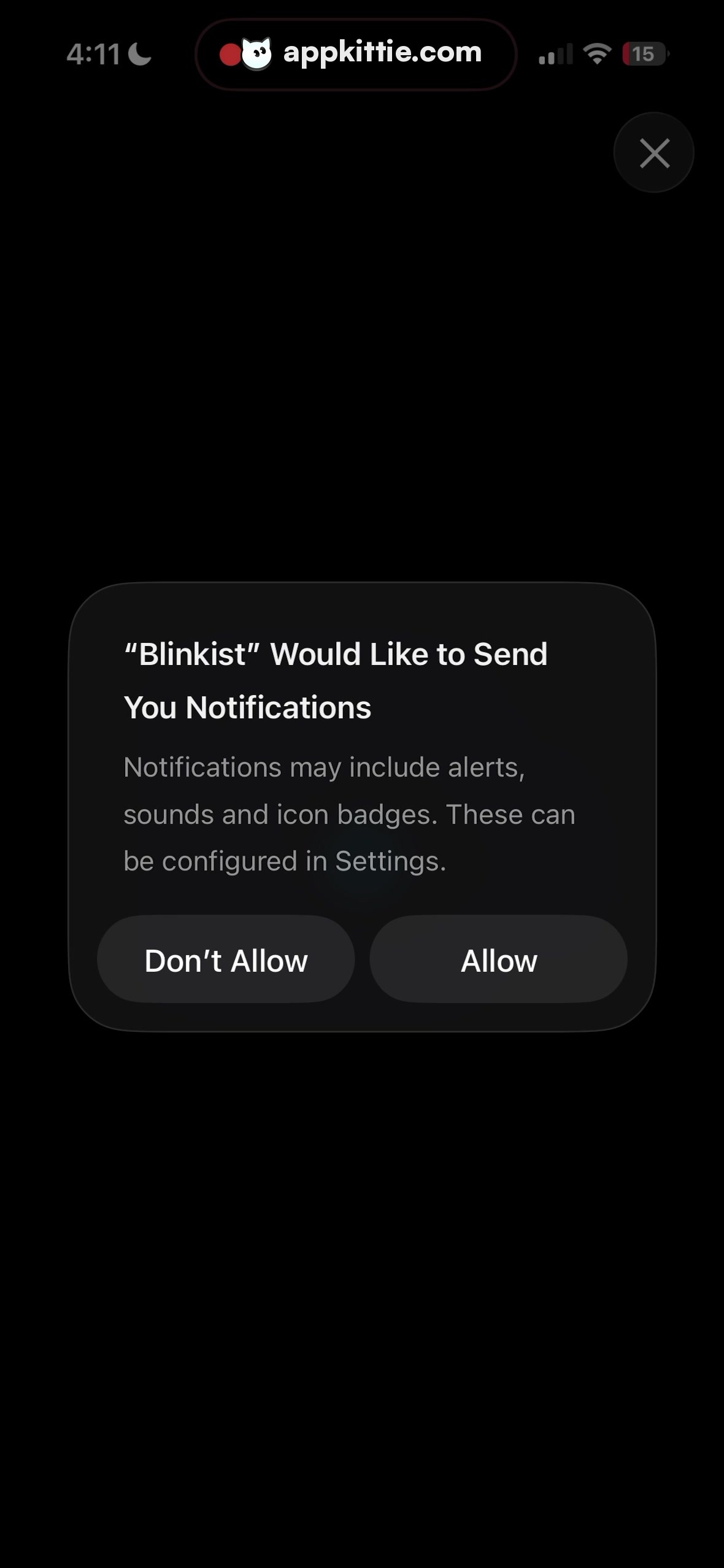
System Permission Alert · Modal Dialog
Centered horizontally and vertically on screen, width ~820px. · Dark gray rounded card container with 56px inner padding and frosted/solid dark surface.
Don't Allow Button · Button
Left half of dialog bottom button row, height ~100px. · Dark charcoal rounded capsule with centered white text.
Allow Button · Button
Right half of dialog bottom button row, height ~100px. · Dark charcoal rounded capsule with centered white text.
Background Close Button · Button
Upper right corner of the underlying dimmed screen, circular ~90x90 px. · Translucent circular dark teal pill with centered 'X' icon.
Layout
Standard iOS system permission prompt overlaying a dimmed background screen.
Notes
Modal dialog is native iOS push notification authorization prompt styled in Apple Dark Mode.
Store